
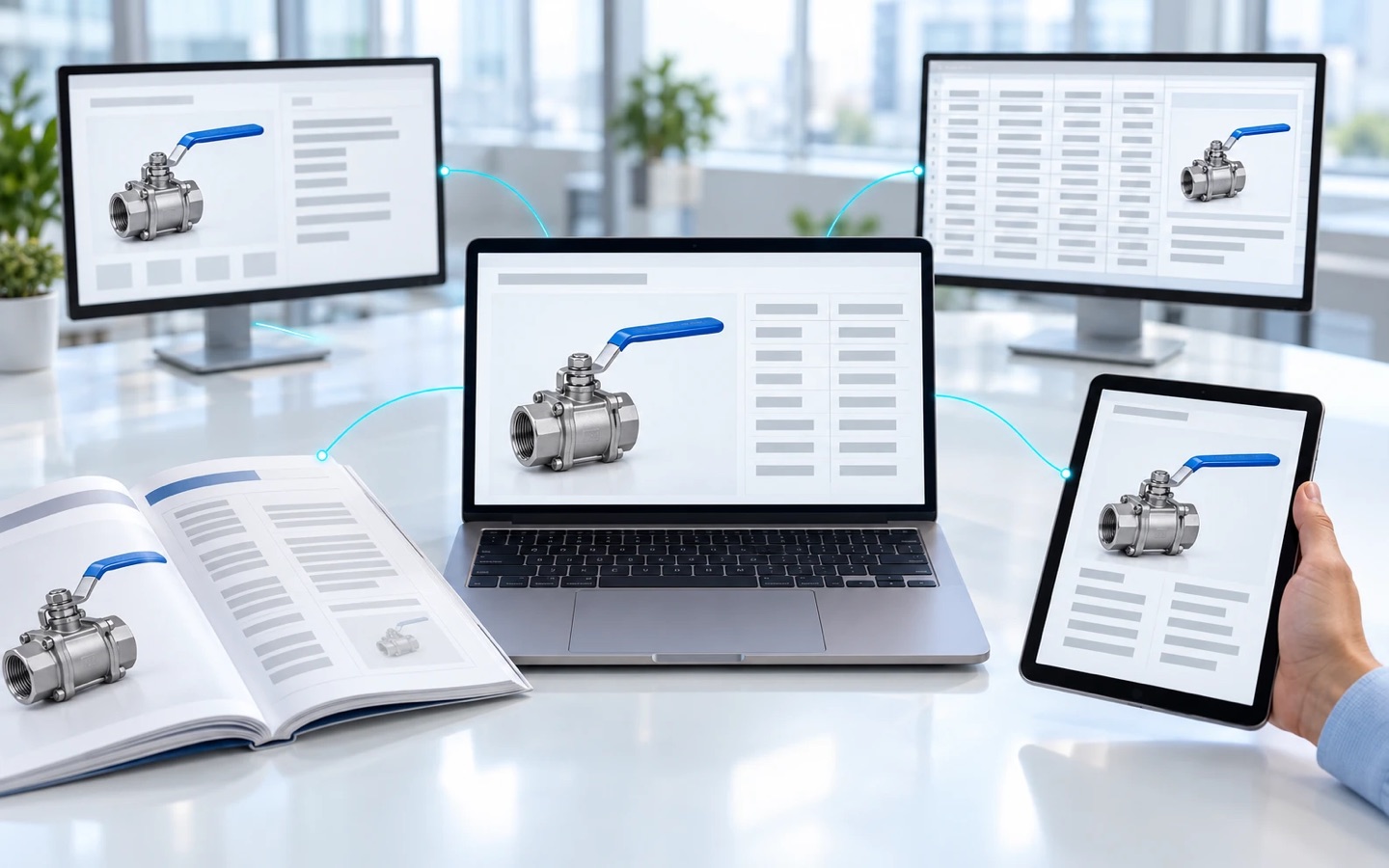
Product information management (PIM) is the practice of keeping the technical and commercial information about each product in a single record, so that it reaches every channel and material where a company presents the product, such as the website, catalog, PDF, manufacturer’s rep, and distributor, identical and up to date. A PIM system, often called simply a PIM, is the software that supports product information management.
The question “What is product information management?” usually comes up when the same valve shows its working pressure in bar on the website, in psi in the PDF a manufacturer’s rep carries, and as a number with no unit in a distributor’s file.
Nobody got the valve’s working pressure wrong on purpose, and the three numbers may even be the same value. Whoever built each output published the data the way they knew it, and a specifier comparing the website, the PDF, and the distributor’s file has no way of knowing that.
PIM also stands for privileged identity management in IT security, and Microsoft Entra ID has a service with that name; PIMS (plant information management system) gathers process data from the plant floor.
In this article, we explain what a PIM system stores, what it does, where its job ends, and when your company needs one.
What a Product Information Management System Stores
A PIM system stores four types of information about each item: technical attributes, technical and commercial copy, media and documents, and relationships between products. The part number that originates in the ERP is the key that ties the four together.
1 – Technical Attributes
Technical attributes are the characteristics a specifier compares across suppliers: nominal size, working pressure, body material, seal material, temperature range, connection type. Several of them depend on one another: working pressure can change with size and connection, and the allowable temperature range usually depends on the seal material.
In a PIM system, each technical attribute sits in its own field, with its unit of measure next to it, because a value such as “16” without “bar” is a number someone will misread. At an electric motor manufacturer, power in W or kW calls for the same care. PIM taxonomy is the part of product information management that organizes technical attributes into categories and product families.
2 – Copy That Starts From the Attributes
Technical and commercial copy is the written form of the same part number: the technical name, the technical description, the application description in the print catalog, and the pitch the manufacturer’s rep uses on a customer visit. All of it should start from the same attributes.
When the description and the attributes live in the same record, “stainless steel” in the description and “carbon steel” in the body material field show up side by side during internal review. When the description and the attributes are kept in separate files, the contradiction is usually discovered by the customer, as a bid rejected in the technical evaluation.
3 – Media and Documents, Each Tied to Its Revision
Media and documents are the files tied to each part number: product photo, application photo, technical drawing, PDF spec sheet, installation manual, and the product certificate, such as a type certificate or a test certificate, which is not the same thing as the batch certificate that ships with each delivery.
Product photos, drawings, and manuals may come from engineering or from an agency. A PIM system links each file to the part number and to the revision it belongs to, so that the drawing from revision C doesn’t appear next to the attributes from revision B.
4 – Relationships Between Products
Relationships between products are the links between one part number and others: product family, variant, accessory, spare part, cross-reference to a discontinued part number. This is the information that depends most on people who know the portfolio from the inside.
The manufacturer’s rep who can say on the spot which part number replaces a discontinued one is using a relationship someone entered, and that relationship needs to be reviewed when the replacement is discontinued too.
Each of the four types of product information has an author inside the company and destinations outside it:
| Information | Who usually produces it | Where it goes |
|---|---|---|
| Part number, the key that ties the four types together | master data team, in the ERP | every output |
| 1. Technical attributes | product engineering or application engineering | spec sheet, website, PDF, distributor file, the customer’s supplier portal |
| 2. Technical and commercial copy | product marketing, with engineering | website, print catalog, PDF, and the manufacturer’s rep’s presentation |
| 3. Media and documents | marketing, for photos; engineering, for drawings, manuals, and certificates | digital catalog, website, manufacturer’s rep, distributor |
| 4. Relationships between products | application engineering, with sales | website, manufacturer’s rep, distributor |
What a PIM Does, From the Record to Every Output
A PIM system keeps each product’s data in a single record and feeds every channel and material from that record, so that a product change is made once and reaches the website, the digital and print catalogs, the manufacturer’s rep’s PDF, and each distributor’s file. A made-up example, at a scale close to a real one, shows the path: a line of ball valves with 240 part numbers, each with its own working pressure.
Each part number originates in the ERP, with a description and a tariff classification (HS code). Engineering adds working pressure, temperature range, seal material, and the drawing, and product marketing writes the application description and produces the photos, each department in its own system or its own folder.
On the other side are the website, the digital catalog, the PDF on the manufacturer’s rep’s tablet, and the printed catalog for the trade show, which are still the technical catalogs used on customer visits. Each distributor asks for the portfolio in its own template, and large customers ask for the same attributes in their supplier portal, under different field names.
If you also sell through marketplaces, you maintain different titles and descriptions for each channel as well, derived from the same attributes.
This is the path along which working pressure takes three forms. The website copied engineering’s spec sheet, in bar, and the PDF inherited psi from an old catalog. The distributor’s template has no column for units, and the value arrived there as “16”. In a PIM system, working pressure lives in a single field, with its unit, and whoever builds the export for each template decides once where the unit goes.
When a supplier change alters the seal material on 80 stainless steel part numbers in the example line, a PIM system lets the change be made once, in the product records, in bulk, and every output generated from then on carries the new material.
Without a PIM, the same seal material change is repeated in every output, in an order that depends on who reads the email first, and the PDF that keeps the old material comes back as a nonconformance at receiving inspection.
A PIM system can’t reach outputs that have already gone out: the PDF the manufacturer’s rep downloaded last month and the file the distributor imported stay as they were. Notifying whoever kept the previous version is work for people, and it calls for a routine with a named owner.
Where a PIM Ends and the ERP, PLM, DAM, and Spreadsheet Begin
The ERP, the PLM, the DAM, and the spreadsheet each hold pieces of product information, and the boundary with each of these four neighbors decides what a PIM system receives ready-made.
1 – ERP, Where the Part Number Originates
At most manufacturers, the ERP is where the product first exists as a record: part number, structure, price, tariff classification, and stock, organized for the people who administer the product.
A PIM system organizes the same information for the people who sell and look products up, by product family and by technical characteristic, and adds what the ERP wasn’t built to hold, such as the drawing and the application description.
When the catalog is integrated with the ERP, the change arrives without re-keying. What stays on each side is covered in our article on product catalog ERP integration.
2 – PLM and the Engineering Release
PLM (product lifecycle management) is the system that follows the product from concept to end of life, with drawing revisions, the bill of materials, engineering changes, and discontinuation. A PIM receives what engineering releases for sale. A change made after the release stays in the PLM until it becomes a new release, with a date.
Without a PLM, the release lives in a shared folder or in an email from engineering, sometimes in an ERP field. The PIM receives it from there, and someone has to state in writing the date from which the new drawing applies. What stays in each system, field by field, is covered in our article on PIM vs. DAM vs. PLM.
3 – When There Is Also a DAM
DAM (digital asset management) is the repository for the whole company’s media, from campaigns to product photos. A PIM uses part of that library and links each file to the product and to its revision. With little media beyond product media, the PIM can handle it alone. With a large brand team, the two coexist, and someone decides which one is the reference for each photo.
4 – Spreadsheet
A spreadsheet is where many product portfolios started, and it stores data well, but it doesn’t govern information. It doesn’t say which version is current or record who approved a change, and every different output depends on someone copying columns by hand. While it still does the job, it pays to structure your product catalog spreadsheet well. Which product data should stay in a spreadsheet, move to the ERP, or go into a PIM system is covered in our article on spreadsheet, ERP, or PIM.
When a Manufacturer Needs a PIM
A manufacturer needs a PIM when product information has more destinations than people to maintain them, which usually shows up as two or more of these signs at the same time:
- the same product shows different data on the website and in the manufacturer’s rep’s PDF, and nobody can say which is right without asking engineering
- a new product line reaches distributors weeks after launch
- each distributor wants the portfolio in its own template, and someone builds the file by hand for every request
- specification questions that application engineering answers by email every week
- a catalog in another language that turned into a side project, with its own spreadsheet
When two or more of these signs appear at once, more discipline in the spreadsheet rarely solves them. A single sign, at a company with a small portfolio and one channel, can usually be solved with process.
A PIM for manufacturers costs more than the license. The heaviest work comes before any new output: product data cleansing and defining which attributes each product family requires, and then filling them in part number by part number, with engineering hours that were assigned to something else.
A PIM also needs a named owner. Product marketing, application engineering, sales, and IT use the same product records and pull in different directions. Without someone with a mandate to say which value stands when two of them disagree, the PIM centralizes the disagreement instead of resolving it.
Measuring your product catalog maturity before choosing a tool shows where your company stands and where to start. For the next step, see how to choose a PIM system.
How Catallog Can Help
Catallog is a product information management platform built for the industrial value chain, with an emphasis on organizing the product portfolio, enabling the sales team, and generating leads. In the shorter form the market uses, Catallog is a PIM platform.
Depending on your plan, Catallog offers these features:
- a single record of attributes, spec sheet, and media for each product, from which different titles and descriptions are derived for each channel, without duplicating the item
- bulk editing of attributes, descriptions, and media, processed in a queue, with a notification when it finishes
- descriptions and channel versions created through AI-assisted content generation, from the product data, as content that goes through review and approval by your company’s team
- structured exports by channel, covering the entire portfolio, and a query API authenticated with a private key
- outputs as a digital catalog, a PDF catalog, and a print catalog
The availability of each feature depends on your plan.
Catallog integrates with a variety of ERP systems, through different methods, and which method makes sense depends on the system your company uses and on how the project is designed. In some projects, Catallog also handles publishing to third-party channels, and the scope depends on the project.
If your company is still getting to know the category, the Product Catalog Maturity Assessment helps you see which part of your product information needs attention first.
Frequently Asked Questions
Product information management (PIM) is the practice of keeping the technical and commercial information about each product in a single record, so that it reaches every channel and material where a company presents the product, such as the website, catalog, PDF, manufacturer’s rep, and distributor, identical and up to date. A PIM system keeps each product’s data in a single record and feeds every channel and material from that record, so that a product change is made once and reaches the website, the digital and print catalogs, the manufacturer’s rep’s PDF, and each distributor’s file.
PIM serves any company whose product information goes to more than one destination. At a manufacturer, those destinations come before e-commerce: the manufacturer’s rep, the distributor, the specifier, and the PDF or print catalog, and that is where an outdated version lasts longest.
MDM (master data management) keeps master data, such as customer, supplier, and product data, consistent across a company’s systems, while PIM focuses on the product information that goes to sales and to channels. The two overlap on product data, and PIM is sometimes described as a specialization of product MDM.
In product catalogs and sales channels, PIM stands for product information management; in IT security, PIM also stands for privileged identity management, and Microsoft Entra ID has a service with that name for managing, controlling, and monitoring access to important resources in an organization. PIMS (plant information management system) is a different system, which gathers process data from the plant floor and doesn’t deal with product information for sales.
At a manufacturer, a PIM is used by product marketing, application engineering, sales, and IT, each with its own part of the information. Outside the company, manufacturer’s reps, distributors, and specifiers look up what comes out of it.
Conclusion
A PIM spreads wrong data just as efficiently as it spreads correct data. That’s why the first piece of product information management work happens before any software: pick an item that went through a recent revision, or one from a line with many variants, and compare what the website, the latest PDF, the manufacturer’s rep’s presentation, and the distributor’s file say about it. For a single item, the comparison is usually an afternoon’s work.
Each discrepancy that turns up calls for two answers, which value is right and who had the authority to say so, and the second one is usually missing. To run that comparison with someone on the other side of the table, talk to the Catallog team through the contact page.
Is Your Catalog Ready to Sell?
TAKE THE FREE ASSESSMENT NOWAnswer 8 questions about your catalog, enter your name and email, and get a profile for each area, with recommendations for your next step.